
Sixteen recipients. Half of them banks. Zero room for a wrong guess.
I used Claude Code to build and send a real B2B invitation campaign end to end — merge-personalized emails, one per recipient, each routed to the right account manager, sent through Resend. Not a demo. A real send to real prospects at real companies, the kind our own sales team would follow up on.
It worked. It also broke three times, got quietly wrong once in a way I didn't notice until it stared back at me in a screenshot, and taught me more about working with a coding agent on something consequential than any tutorial would have. Here's the whole arc, not just the highlight reel.
Starting from a one-off script, ending at a pipeline
The first ask was small — the whole thing started as one line, typed with a typo left in:
That took ten minutes — a Bun script, an API key in a .env file, one test send to my own inbox to prove it worked. Everything after that was iteration, each round driven by an actual problem showing up on screen rather than a spec written in advance.
By the time it was a real campaign, the shape had grown into: a registry of two account managers (name, email, phone), a signature block matching an existing brand reference image, an HTML template with merge fields for honorific, name, and company, a plain-text fallback version of the same content, a CSV schema for recipients, a preview script that renders every row to local HTML before anything sends, a dry-run mode, and only then the actual send script. None of that was planned upfront. Each piece got added because the previous version broke or looked wrong when I actually looked at it.
The first break: an email that cut itself off
The first real test send landed in Gmail with a banner: "[Message clipped] — View entire message." The cover image and signature photo didn't render either — just broken image icons. The bug report I sent back was exactly this, nothing more:
Four lines. No diagnosis, no guess at a cause — just what I saw on screen.

The cause was invisible in the code review: both images were embedded as base64 data directly inside the HTML. That's the path of least resistance for an agent asked to "add an image" — but it bloats the message enough to trip Gmail's clip threshold, and Gmail doesn't reliably render base64 images at all.
The fix was to send both images as real email attachments, referenced by a cid: token in the HTML instead of embedded as data. Same visual result, a fraction of the size, renders everywhere. I wouldn't have caught this from reading the template — I caught it because I insisted on a real test send to my own inbox before anything else, and actually looked at what came back.
The bug that only showed up in Vietnamese
The next test send rendered fine in structure but wrong in every accented character. "Trí Võ" came through as "Trà Võ." "Anh/Chị" became "Anh/Chị." Classic mojibake — UTF-8 bytes being read back as Latin-1. Again, the report back was just what was visibly wrong, bundled with an unrelated design note in the same breath:
"Error on font" was doing a lot of work in that sentence — it wasn't a font at all, it was an encoding bug that happened to make the text look like it was set in the wrong font. Diagnosing that gap between what a bug looks like and what's actually wrong is the job; the report doesn't need to already contain the answer.
The template had a doctype and a body tag, but no <head>, no <meta charset>. The underlying text was correct UTF-8 the entire time — the bug was purely that nothing told the receiving email client which encoding to assume, so it guessed wrong. One line, <meta charset="utf-8">, fixed every recipient's name at once. It's the kind of bug that's invisible if you only test in English and immediately obvious the moment your content actually needs the language it's written in.
The parts that were just craft, not correctness
Not every round was a bug. Some were closer to a design review, and the instructions got shorter as the trust built up:
Three separate one-line notes, three separate rounds. The sender's photo went from a straight rectangular crop to a squircle mask (the rounded-square shape, generated as a real transparency mask baked into the image rather than a CSS border-radius, because Outlook ignores border-radius on images) to a recrop so the eyeline sat at the upper third of the frame instead of dead center — ordinary portrait composition, requested in five words.
The cover graphic's fix was the same shape: shipped once at exactly its display width, flagged as blurry, reshipped at twice that resolution. Displaying an image at exactly its native pixel size looks soft on any retina screen — a phone, basically any phone — because the display is rendering more physical pixels than the image has data for. None of this was a functional bug. All of it was the difference between an email that reads as competently made and one that reads as rushed, and none of the notes above needed more than one sentence to fix.
The second break: a claim I believed for three hours
The instruction that sent the real batch and set up the later report was one line:
It told me upfront that Resend's API "does not expose open or click counts" — only delivery status — and set my expectations accordingly.
Three hours later, when it actually queried the API to build the report, that turned out to be wrong. The per-email status field does surface opened and clicked, just not exact counts. Nobody was harmed — the number wasn't reported anywhere before it was checked — but it's a clean example of something worth internalizing: an agent's claim that something isn't possible is a claim, not a fact, until it's actually been tried. That applies as much to "this data isn't available" as it does to "I finished the task."
The number that looked too good
The real engagement numbers, once retrieved: every recipient opened, three quarters clicked. On paper, an outstanding result.

Half the recipient domains were banks. Corporate email security systems commonly pre-fetch links and scan embedded images before a human ever opens the message, which can register as a false open or even a false click. A 100% open rate on a list like that isn't proof of human interest — it's a number that needs a second look before it goes into anyone's report.
The rule that mattered most
Nothing above would have mattered if the personalization itself had been wrong. Each recipient was routed to one of two account managers — their name, email, and phone number filled into a merge field — and the one rule that could not be allowed to fail was that recipient A never sees account manager B's contact info.
I didn't just eyeball two rendered previews and call it good. I grepped both rendered files for both account managers' email addresses and confirmed each recipient's version contained only their own. That's the difference between assuming a merge loop is correct and proving it.
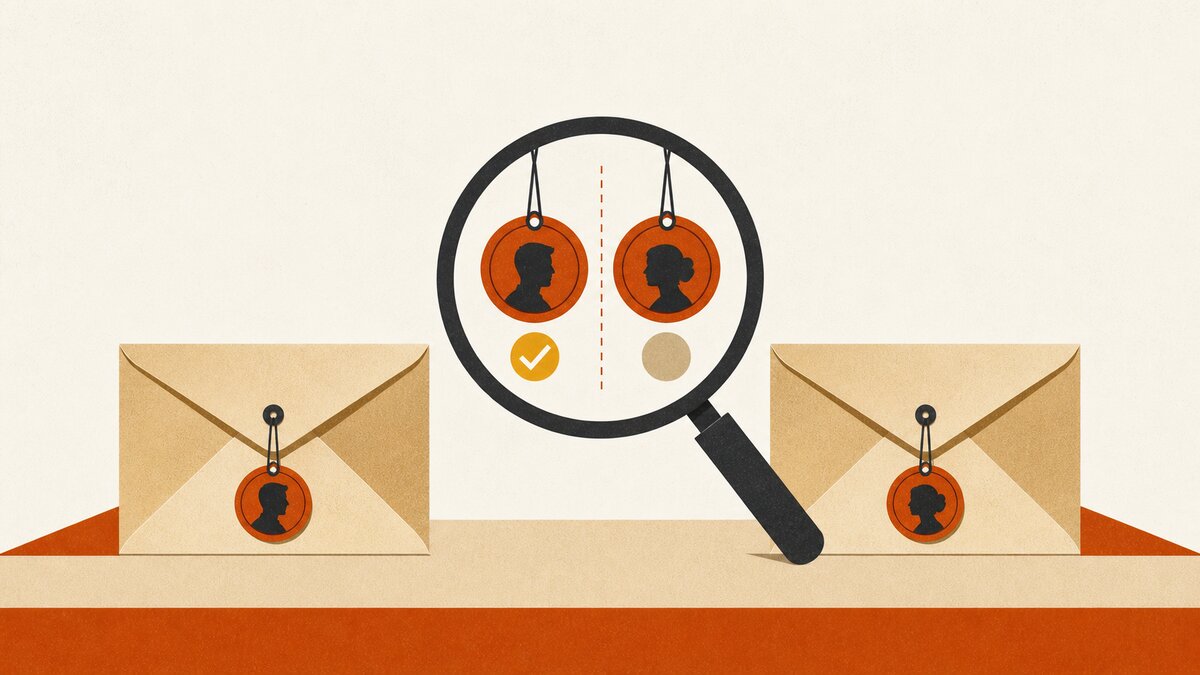
The same discipline applied to a messier problem: the recipient list had no gender or honorific column at all — just full names pulled from a CRM export. Rather than let the agent guess on every row to look complete, I had it reason through each one out loud. "Nam" as a given name is essentially always male in Vietnamese. "Văn" and "Thị" are the two classic, near-unambiguous middle-name gender markers — "Văn" for men, "Thị" for women — the same role "Jr." or a title plays in English, but load-bearing on every single name that carries it. Most other given names, on their own, aren't reliable signal at all.
Across sixteen real rows, that reasoning was confident enough on all but a couple to fill in directly, and where it wasn't, I flagged it and asked rather than guessed. A wrong Anh/Chị in a Vietnamese business email reads badly — worse than sending a merge field blank, because a blank reads as an oversight and a wrong guess reads as not having paid attention at all. The instruction that actually triggered this whole pass, typo included, was:
Not a spec. A worry, stated plainly. That's usually enough, as long as the worry gets treated as the actual requirement instead of paraphrased into something safer-sounding and less specific.
The setting that was already on
Before sending the real batch, I asked whether open and click tracking were actually enabled. The honest-sounding answer would have been to just say yes and move on. Instead, the check was a real API call — GET on the domain's settings through Resend's own API, not a dashboard glance — and it came back with both flags already true. Nothing to configure, nothing to toggle. The point isn't that the answer was good news; it's that the answer came from the API responding, not from an assumption sounding plausible.
If you're setting up Resend for the first time, the domain-level settings worth checking before your own first send — tracking, DMARC, audiences — are in Set Up Resend Right: A Marketer's Checklist with an AI Agent .
What actually shipped
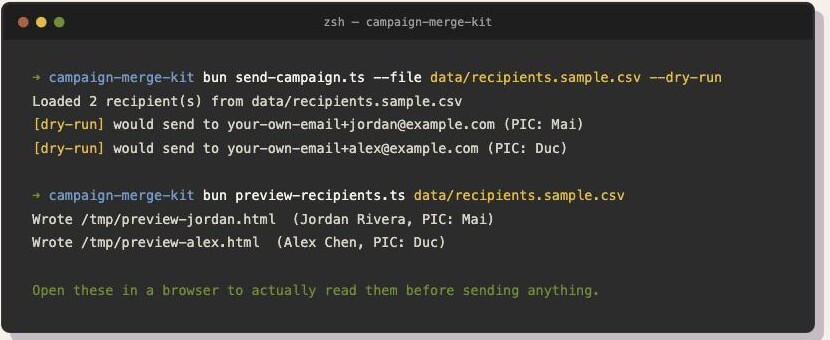
That's the actual dry-run and preview output, not a mockup of what it looks like — run against the public starter kit's fictional sandbox data below, since the real campaign's terminal history has real recipient addresses in it.
A working merge-send pipeline built with Claude Code: a recipient CSV, an account-manager registry, a template with real merge fields, images sent as real attachments, and a strict send sequence — preview, test to my own inbox, dry-run the full list, an explicit unambiguous send instruction, then a saved record of what went out.
That sequence is now written up as a full lesson — Send Merge Campaigns at Scale, Safely, Lesson 3.1 — paired with an open starter kit, campaign-merge-kit , that uses a free Resend account and fictional data, so you can run into the same mistakes I did without risking a single real inbox. If your list is small enough to handcraft by hand instead of merging fields, Lesson 3.2 covers that approach with sigil .
The mechanics — Resend, merge fields, cid attachments — took an afternoon to build. The clipping bug, the encoding bug, the honorific reasoning, the isolation check, the tracking claim, the too-good-to-be-true open rate — none of that was in the original ask. Every one of them showed up because something was actually tested against a real inbox instead of trusted on description.
That's the part I ended up teaching, not the Resend integration. If you want the working code instead of just the story, the starter kit is real and public.
Common Questions
Why does Gmail clip long HTML emails?
Usually because images are embedded as base64 data directly inside the HTML instead of sent as real attachments. That inflates the message size enough to trip Gmail's clipping threshold, cutting the email short and often failing to render the images at all. Sending images as real attachments, referenced by a cid: token in the HTML, avoids both problems.
Can an AI coding agent actually send a real email campaign?
Yes — a coding agent like Claude Code can write and run a script that sends through a real email provider (this campaign used Resend), including merge fields, attachments, and a full recipient list. The mechanics take an afternoon. The part that takes real judgment is the safety layer around it: previewing actual output before sending, testing to your own inbox first, and verifying personalization is correct rather than assuming a template is right because it compiles.
How do you personalize emails safely at scale with an AI agent?
Treat merge-field isolation as something to verify, not assume — render at least two different recipients' versions and confirm one recipient's data never leaks into another's. For any personalization field you're missing data on (like a gendered honorific), have the agent flag genuine uncertainty instead of guessing every row to look complete. A blank field reads as an oversight; a wrong guess reads as not having paid attention.
Is a 100% email open rate a good sign?
Not necessarily, especially on B2B or enterprise recipient lists. Corporate email security systems commonly pre-fetch links and scan embedded images before a human ever opens the message, which can register as a false open or even a false click. A suspiciously perfect open rate is a reason to look at the breakdown by domain, not a reason to report the number at face value.
What causes garbled or mojibake text in an HTML email?
Almost always a missing character-encoding declaration. If the email's HTML has no <meta charset="utf-8"> in a <head> tag, some email clients guess the encoding and guess wrong — non-ASCII text (accented characters, non-Latin scripts) renders as garbled symbols even though the underlying text was correct UTF-8 the whole time. Adding that one meta tag fixes it.